AI time savings are real. Most of them never show up as capacity — and almost nobody has decided what the rest is for.
AI is saving your team real time. Where it goes is a decision most managers have already made by not making it.
Ask someone how much time AI saved them last week and you will get a number. Ask where that time went and you will get a pause.
The framework from this issue on a single page you can print and take into a meeting: the three places freed-up time can go, how to pick one, the words to say to your team, and a table to fill in for each process.
You'll also get the Operations Briefing, free every other Friday. Unsubscribe from any issue. Privacy Policy. The issue below stays free to read either way.
That pause is the whole issue. The time is real. The tools work. But the saving never turns up anywhere you can point to — not in the capacity plan, not in a resourcing conversation, not in anything you could show your own manager.
There is now decent data on where it goes. It leaks in two places. You can fix the first with better tools. The second is not a tools problem at all, and it is the bigger of the two.
A note on the ten hours: it is a round number for illustration. Workday's measured range is one to seven hours a week per person. It is the ratio that holds — roughly 3.7 hours lost for every 10 saved — not the weekly total.
Workday, working with Hanover Research, surveyed 3,200 people — half leaders, half employees — across North America, Europe and Asia in November 2025, all of them at organisations with at least $100 million in revenue.
85% said AI saves them between one and seven hours a week. 77% reported higher productivity over the past year. Whatever else is true, the tools are doing something.
The problem starts immediately afterwards.
Workday calls it the AI tax on productivity: for every ten hours of efficiency gained, nearly four are lost correcting, clarifying or rewriting low-quality AI-generated content. Only 14% of employees consistently end up net positive once that rework is counted.
The burden is not spread evenly. The heaviest AI users take the worst of it — Workday found highly engaged employees lose an average of about a week and a half a year to rework alone. The people getting the most from the tools are also the people paying the most tax on them.
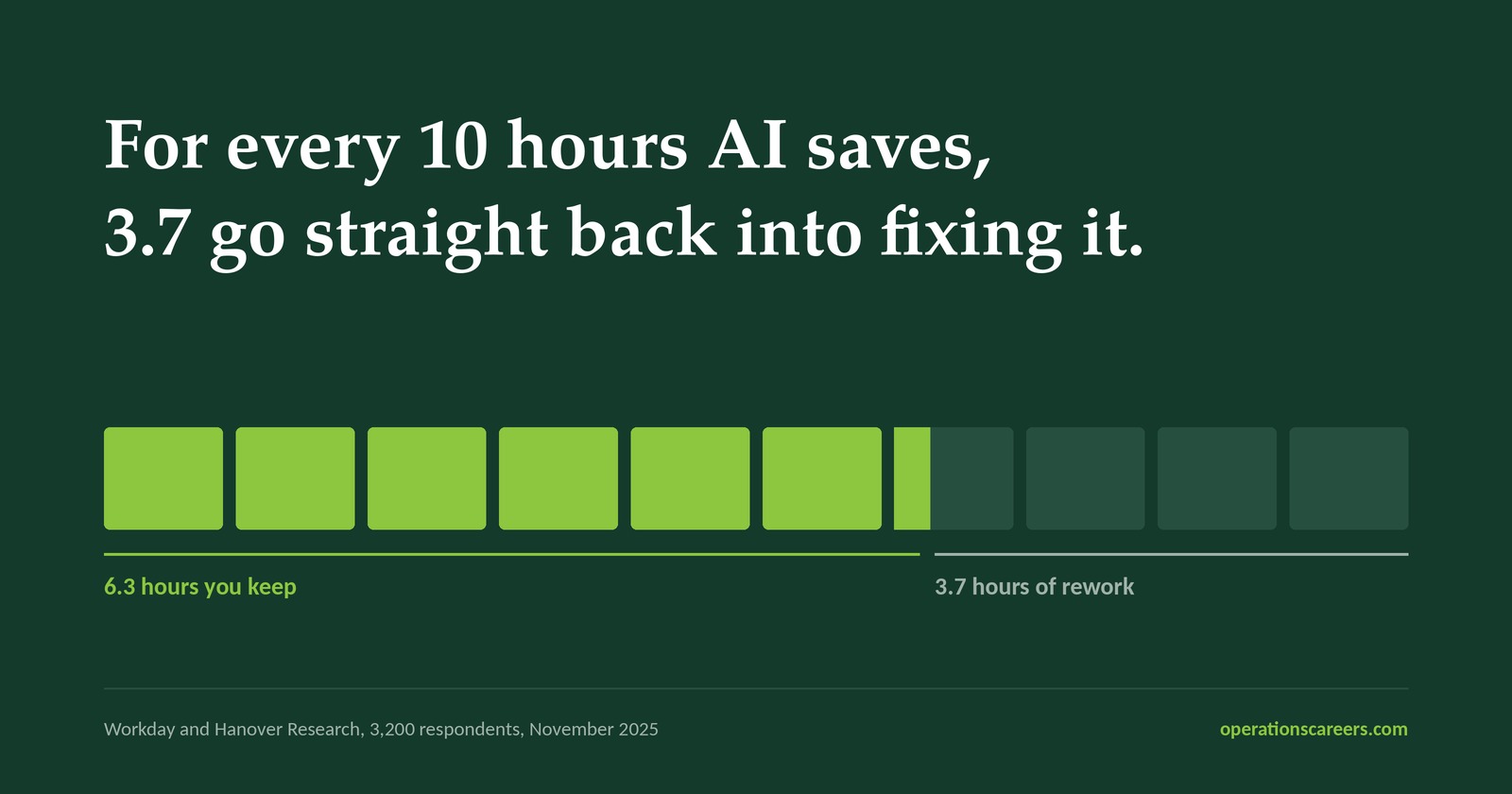
Workday and Hanover Research, 3,200 respondents, November 2025.
This is the leak you can do something about. Say clearly what "finished" means before work reaches a reviewer. Use tools built for the job instead of one general tool for everything. Both will bring the number down.
The obvious conclusion from a 37% rework rate is that people need training — better prompting, more discipline, a bit of coaching.
Workday reads it differently. They say the problem is the system, not the behaviour: AI was dropped on top of jobs that nobody redesigned around it. Work comes out faster, but the standards for accuracy, and who answers for it, never changed. Nearly nine in ten organisations say fewer than half their roles have been updated for AI.
Regular readers will have seen this shape before. In Issue 10 the equipment held and the procedure didn't. Here the output changed and the process around it didn't.
If competent people are producing more rework than before, the thing that changed is not the people.
Of the organisations that do redirect freed-up time, Workday found 32% simply increase existing workload. 39% put it back into buying more technology. 30% into developing people.
The reason is simple. In a Gartner survey of 114 HR leaders, just 7% of organisations give any guidance on how to use time saved by AI. Small sample, so treat it as a guide rather than a precise figure. The direction is clear enough.
Where there are opinions, they do not match. 55% of those HR leaders would want a freed-up hour spent on projects outside the day job. In a separate Gartner survey of 1,973 managers, only 28% would choose the same. The people writing the policy and the people applying it want different things.
So the team works it out for themselves. In most places they conclude that finishing early just means being handed more work.
The three options below are ours, not theirs. The studies measure the problem. Neither suggests a fix. Pick one for each process rather than trying to do all three. What matters is that someone decides.
Use the time to check AI output properly, as part of the job rather than extra unpaid effort. Choose this when a mistake is costly or hard to undo — customer work, money, or anything reported outside the team. If you pick it, write down what checking means. "Someone reviews it" is not a real step.
Use the time to train each other, write the process down, or fix a step the AI has shown is weak. Choose this when the process works but breaks easily, or when only one person knows how to run it. This is the only one of the three that pays you back. It makes next quarter easier.
The task takes less time now. Leave it there. Choose this when the team is already full, or has been running over for a while. Saying so openly costs nothing and builds a lot of trust.
The time quietly turns into more of the same work. That is what 32% of organisations end up doing, and it is the one that teaches people to stop mentioning the time they save.
The decision only works if the team hears it. Two sentences in your next team meeting:
"AI is saving us real time on [process]. I want that time to go into [checking the work / building skill / giving the time back] — and to be clear, it doesn't mean we take on more of the same."
The last part matters most. Without it, people assume the opposite.
Then put a reminder in the diary for 90 days out with one question on it: did the time go where it was meant to, or did it turn into more work? If something went wrong in between, check whether the process covered it before asking who missed it.
When AI saves time in your team, where does it currently go — better checking, building capability, less workload, or simply more work?
Worth answering honestly before you decide what to change.
Both studies were run by companies that sell related services. Workday sells workforce software; Gartner sells advice. And the 7% figure comes from just 114 HR leaders. So treat the numbers as a guide, not as exact. They are still worth acting on, because the advice does not depend on them being right to the decimal. If the real figure were 20% rather than 7%, you would do the same thing.
It isn't about AI. It is about the gap between where you think the effort goes in a process and where it actually goes. You can watch the videos free; the assessments and certificate are paid. Content and pricing change, so check before you enrol.
If this was useful, the Operations Briefing lands free every other Friday — one idea worth knowing, what to do about it, and a new practical tool each issue.
Subscribe and we'll send you the one-page version of the framework above: the three places the time can go, how to pick one, the words to say to your team, and a table to fill in for each process.
You'll also get the Operations Briefing, free every other Friday. The issue above stays free to read either way.
Confirm your email and we'll send you the page. We use your address for the Briefing and nothing else. Unsubscribe from any issue. Privacy Policy.
OperationsCareers is building a focused publication for professionals working across operations, transformation, process improvement, PMO, reporting and workflow optimisation.
If you are hiring operational talent, promoting a relevant tool or course, or looking to reach a practical professional audience, we are open to selective sponsorship and featured opportunities.
P.S. If you only do one thing with this issue, make it the two sentences in the team meeting. The one-page version of the framework is here if you want something to take in with you.